Read the open work
Select DL-1042. The shift note names the missing seal check. Attention stays visible until the check is recorded.
Warehouse shift handoffs
A shared handoff board for warehouse teams. Give every load a clear status, a useful note and an obvious next step.
Work through a handoff Try the local demo below. No account needed.Warehouse / Shift handoff
| Shipment / destination | Door | Load | Status | Due |
|---|---|---|---|---|
| D04 | 12 pallets | Needs attention | 14:30 | |
| D02 | 8 pallets | Ready | 14:45 | |
| D06 | 16 pallets | Needs attention | 15:10 | |
| D01 | 6 pallets | Handed over | 15:20 | |
| D05 | 10 pallets | Ready | 15:40 |
Start with DL-1042: review the note, then record the missing seal check.
The difficult part of a handoff is rarely the list of loads. It’s the detail that didn’t make the list.
What’s been checked. What’s still waiting. Who is picking it up. DOCK LOG puts that conversation next to the work.
“Paperwork is ready.
The seal still needs a check.”
A handoff you can work through
Select DL-1042. The shift note names the missing seal check. Attention stays visible until the check is recorded.
Record the seal check, choose Mark ready and review the confirmation. The activity trail records the change.
Confirm handoff to give the incoming shift ownership. Revert a change or reset the sample whenever you need.
The change is part of the record
Review a load without piecing the story together. In the demo, your latest action appears here and in the shipment’s activity.
Record the missing check and confirm readiness. Your actual local change will appear here.
Built around the shift conversation
A focused working surface for the information that matters at handoff.
Attention, ready or handed over. A shared vocabulary for the next conversation.
Checks, notes and a readable activity trail sit beside the shipment they belong to.
Review the open work, confirm the change and leave a clear owner for what comes next.
An incomplete check keeps a load in attention. A tidy board should never hide unfinished work.
A place in the workflow
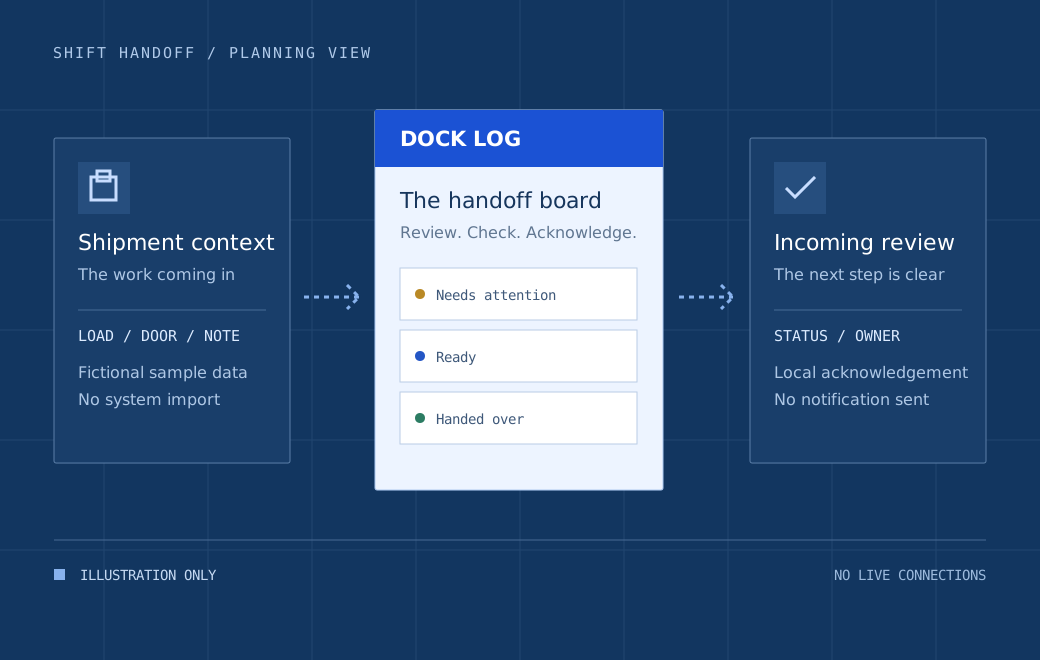
A real pilot starts by agreeing where shipment data comes from, who can change it and what an acknowledgement means.
Demo only. No live systems connected.
This diagram is a planning illustration. There are no working imports, APIs, notifications or warehouse connections.
One conversation, different responsibilities
These are workflow perspectives, not implemented user accounts or permissions.
Review the checks and record what the next team needs to know before a load is ready.
Inspect the history, understand the open work and acknowledge a prepared load.
Use the same status language to spot unfinished work and shape the shift conversation.
Before the next shift
This is a fictional software concept with an interactive local demonstration. The shipments, companies and times are sample data. It is not an operational system and must not be used to authorise a real shipment.
No. Every change stays in this page’s memory. Nothing is sent, synchronised or saved. Reset the board or reload the page to return to the sample scenario.
The sample workflow requires both document and seal checks before a load can be marked ready. A ready load can then be handed over. The confirmation step shows exactly which sample load will change.
No live integrations are included. A real pilot would first need agreed data ownership, access controls, system mapping and testing. The diagram on this page illustrates that discussion only.
Your sample details appear in a local summary. There is no submission, mailing list, sales contact or saved application. Use fictional details and copy the summary yourself only if you want to keep it.
Sketch a practical starting point
Prepare a local sample pilot brief. Describe one shift, one handoff and the context you want to keep.